
Vercel Releases UI SDK: 50+ UI Behaviors for AI Coding Agents
Vercel just dropped a beta UI SDK that promises to let AI coding agents stitch together UI pieces instead of handing them a finished component. In practice you never hand the agent a finished component; you hand it the primitives and let it compose the final UI at runtime.
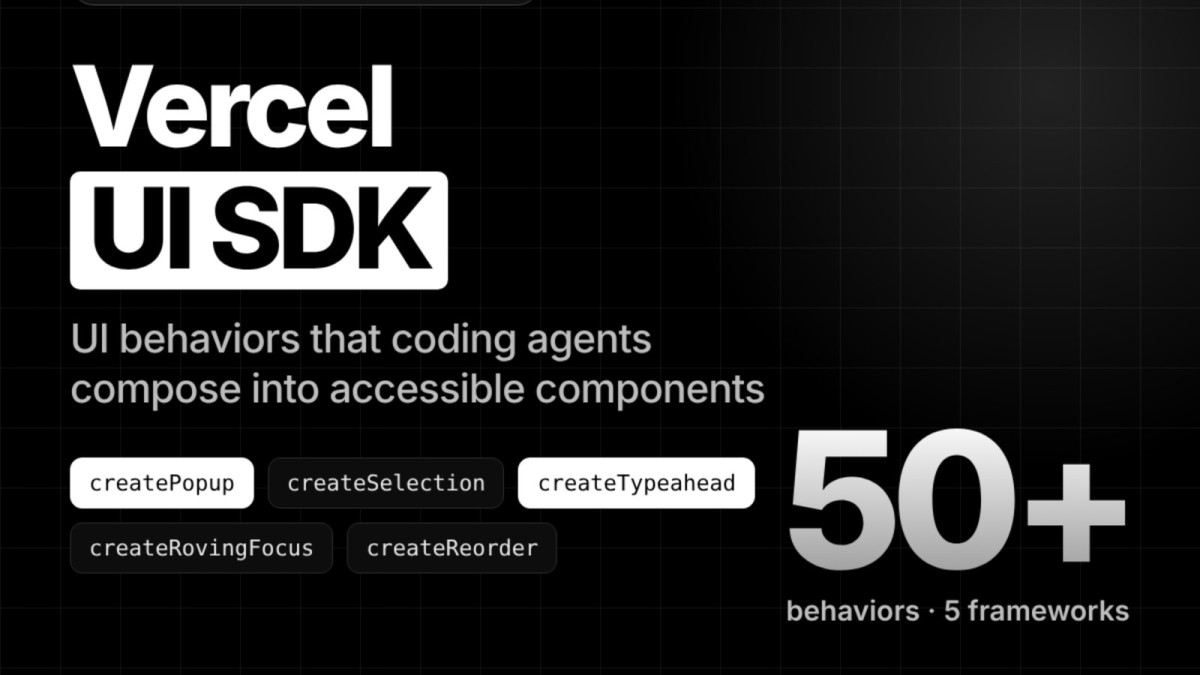
Vercel just dropped a beta UI SDK that promises to let AI coding agents stitch together UI pieces instead of handing them a finished component. As someone who has spent a decade wrestling with production‑grade hosting stacks, I’m skeptical of any “headless behavior library” that claims to slash tool calls and cost. Still, the numbers Vercel shares – a 61 % drop in task time and a 56 % reduction in cost on a single settings task – are enough to warrant a closer look, especially for independent hosting providers who are constantly balancing developer velocity against the ever‑present risk of vendor lock‑in.
What Vercel’s UI SDK Actually Is
The SDK is a collection of over fifty UI behaviors – things like focus management, type‑ahead, pop‑ups and drag‑and‑drop – packaged in a core module (@ui-sdk/core) with thin adapters for React, Vue, Svelte, Solid and plain Web Components. The idea is that an AI agent receives the building blocks (a popup, a selection model, a type‑ahead engine) and assembles them into a component such as a Select, a Combobox or even a custom UI you haven’t imagined yet. In practice you never hand the agent a finished component; you hand it the primitives and let it compose the final UI at runtime.
Each primitive is defined with a definePrimitive call that declares its state, API and slots. Slots are where attributes, events and behaviors attach to DOM parts. The same primitive can be rendered across all five framework adapters using createParts, meaning a single behavior definition can serve a React app and a Svelte app without duplication. This “behaviors‑first” approach mirrors what React Aria and Ark UI do with hooks and state machines, but Vercel adds an explicit agent layer – a skill package, an llms.txt file and a runtime bridge that lets the agent query UI state and act on it directly.
The Agent Bridge: How It Works
To get an agent talking to the UI you paste a prompt into the agent’s configuration, run npx skills add vercel-labs/ui --skill ui-sdk, and the skill installs the six npm packages at version 0.1.0‑beta.1. The bridge is created with createAgent() before the page renders, exposing agent.snapshot() (which lists components, their state and possible actions) and agent.act() (which can perform actions like renaming a project via setValue). Apps can inject an allow callback to approve or reject actions, giving you a safety net against rogue AI moves.
The bridge also supports change callbacks that identify the source as “agent”, allowing you to cancel unwanted updates. For browsers that don’t run a build step, you can load web.js and web.css from ui-sdk.dev, which means the SDK can be dropped into static sites without a full bundler pipeline. This flexibility is attractive for small hosting outfits that often serve static or lightly‑dynamic sites and can’t afford heavyweight build tooling.
Performance Claims: Do They Hold Water?
Vercel’s own benchmark pits the UI SDK bridge against traditional browser tools on a single “project‑settings” task. The agent using the bridge made 5 tool calls versus 16 for the browser‑tools approach – a 69 % reduction. Text read dropped from 39.8 k characters to 6.8 k, an 83 % cut, and total time fell from 41 seconds to 16 seconds, a 61 % improvement. Cost, measured in whatever pricing model Vercel uses for its underlying LLM, fell from $0.073 to $0.032, a 56 % saving.
These figures are presented as medians of three runs and are clearly labeled “directional”. The test used a different component library for the browser‑tools run, and Vercel didn’t disclose the exact Sonnet version powering the agents. Still, the order‑of‑magnitude reduction in tool calls and text read suggests that letting an agent work with a behavior model rather than a full component tree can trim the amount of back‑and‑forth needed to understand the UI. For independent providers, that translates into lower LLM usage fees and faster AI‑assisted workflows – a real cost advantage if you’re charging customers for AI‑enhanced admin consoles.
Comparing the SDK to Existing Alternatives
When you line up Vercel’s UI SDK against Radix Primitives, React Aria, Base UI and Ark UI, a few patterns emerge. All four alternatives ship unstyled components or hooks that separate behavior from markup. Vercel’s SDK also does that, but adds an agent‑centric skill layer that other libraries lack. The peer requirements are stricter – React 19+, Vue 3.5+, Svelte 5.33+ and Solid 2.0.0‑rc.14+ – which means you need relatively recent framework versions to adopt it. That’s not a deal‑breaker for new projects, but legacy stacks will need upgrades, a non‑trivial risk for providers hosting older applications.
Licensing is Apache‑2.0, the same as Radix and Ark UI, so there’s no surprise there. The biggest differentiator is the runtime bridge that lets an AI agent query UI state without taking screenshots or parsing the DOM. In environments where you already run AI agents for support or automation, that bridge could be a game‑changer, letting the same agent both read and write UI state in a controlled fashion.
Business‑Risk Lens for Hosting Providers
From a risk perspective, the SDK introduces a new attack surface: the allow callback and change‑callback mechanisms give you the ability to veto actions, but they also require you to implement robust validation logic. If you misconfigure the callback, an agent could make unintended changes to customer data. That’s a familiar risk with any automation that touches production resources, but the SDK makes the risk more visible because the agent can act directly on UI state.
On the upside, the ability to embed AI‑driven UI manipulation into your own admin consoles could differentiate your hosting service. Imagine offering a “one‑click scaling” UI where an AI agent fills in the correct parameters based on usage patterns, or a “self‑healing” dashboard that lets the agent adjust firewall rules on the fly. Those features could command premium pricing, especially for enterprise customers who value reduced manual overhead.
Practical Steps to Evaluate and Adopt
First, spin up a sandbox environment with the beta packages (@ui-sdk/react, @ui-sdk/core, etc.) and run the npx skills add vercel-labs/ui --skill ui-sdk command. Test the bridge with a simple component – perhaps the Select example from the README – and verify that agent.snapshot() correctly reports state and that agent.act() can change it. Pay close attention to the allow callback: start with a whitelist of safe actions and log any rejected attempts.
Next, benchmark the bridge against your existing UI tooling. Replicate the Vercel test by measuring tool calls, characters read and elapsed time for a typical admin task. Even if you don’t hit the exact percentages Vercel reports, any reduction in LLM token usage will lower your AI costs. Finally, assess framework compatibility – if you’re still on React 18 or Vue 3.4, you’ll need to plan an upgrade path before you can safely adopt the SDK.
Bottom Line and Actionable Advice
The Vercel UI SDK is an intriguing experiment in giving AI agents first‑class access to UI behavior rather than static markup. Its headless, behavior‑only design aligns with the direction the industry has been heading for years, but the added agent bridge could be the differentiator that lets smaller hosting providers embed AI assistance without the massive price tags of hyperscaler services. The performance claims are promising, yet they stem from a single‑task, beta‑level benchmark, so treat them as a signal, not a guarantee.
My advice: run a controlled pilot, focus on the security of the allow callback, and measure real‑world token consumption. If the bridge delivers even a modest cut in LLM usage while improving UX, it’s worth the upgrade effort. Otherwise, stick with proven libraries like Radix or React Aria and keep your AI agents at the API layer where you have tighter control. Either way, the era of “AI‑ready UI components” is arriving – and you either ride the wave or get left behind.
— Allan Ali, Founder
This article was produced with AI-assisted research and editorial support. Reporting is based on the source material cited below. Sources: MarkTechPost; marktechpost.com; Global1.News (17 November 2026).
By Allan Ali, Global1.News
What's Your Reaction?
 Like
0
 Dislike
0
 Love
0
 Funny
0
 Wow
0
 Sad
0
 Angry
0

Publisher of Global1.News. Automation architect, systems builder, and the guy making sure the truth gets published.















Comments (0)