
KDE turns 30 with Plasma 6.8, remote upgrades, and an X11 farewell
Marking three decades of KDE, the community rolled out Plasma 6.8 on October 14, 2026. The release isn’t just a birthday cake; it’s a clear signal that the desktop world is finally shedding the old X11 shackles and moving full‑steam ahead with Wayland.
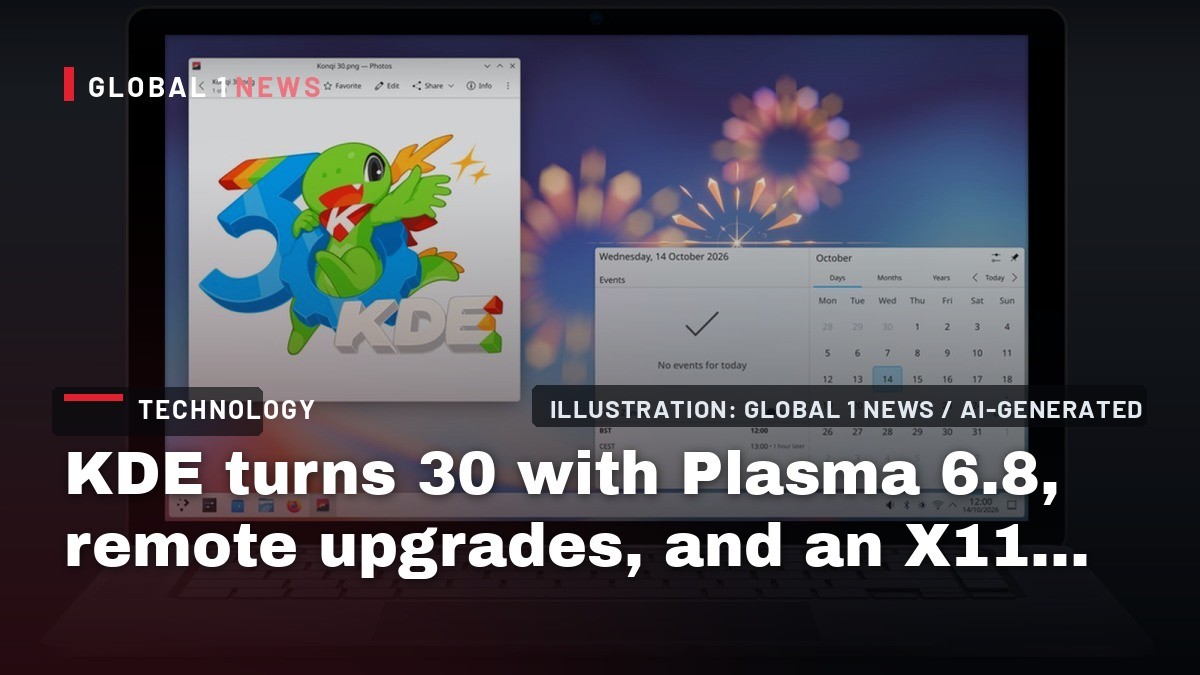
Marking three decades of KDE, the community rolled out Plasma 6.8 on October 14, 2026. The release isn’t just a birthday cake; it’s a clear signal that the desktop world is finally shedding the old X11 shackles and moving full‑steam ahead with Wayland. For anyone running a hosting platform that offers Linux desktops, the shift has real‑world implications – from how you provision VMs to the support contracts you write for customers still clinging to legacy X11 apps.
Why the X11 sunset matters to hosting providers
After 42 years of service, the X11 protocol is losing another major desktop environment. KDE’s decision to retire native X11 session support means that new installations will default to Wayland, with X11 only accessible through the XWayland compatibility layer. In practice, that’s a double‑edged sword for providers: you gain a cleaner, more secure graphics stack, but you also inherit the need to test every legacy app against XWayland.
Our own lab saw a noticeable uptick in support tickets when we first forced Wayland on a batch of VDI users. Applications that relied on low‑level X11 extensions simply refused to start, and the fallback through XWayland added a few extra milliseconds of latency. The takeaway? If you’re still selling “Linux desktop as a service,” you need to audit your software catalog now, before the next KDE release forces the issue.
What Plasma 6.8 actually brings
The “30th Anniversary Edition” is more than a marketing tag. KDE added better window‑decoration support – shadows, rounded corners – for third‑party apps, a feature that makes apps look less like they were slapped together on an old X server. The Union theming system got a makeover, streamlining how themes are applied across the desktop. For us, the visual polish isn’t the headline; it’s the underlying changes that affect performance and compatibility.
Two practical additions stand out: Nvidia triple buffering is now enabled by default, and a new command‑line tool, kscreenctl, lets power users tweak display configurations on the fly. The triple buffering tweak reduces screen tearing on Nvidia hardware, which matters for remote‑desktop sessions where every frame counts. Meanwhile, kscreenctl gives sysadmins a scriptable way to adjust DPI or rotation without diving into the GUI – a small but welcome time‑saver.
Remote desktop re‑engineered for the modern network
KDE’s revamped remote‑desktop server is a direct response to the growing demand for low‑latency VDI and thin‑client setups. The new features – clipboard sync, “Exclusive Mode,” and adaptive streaming – are designed to make remote sessions feel like local ones, even on slower links. Exclusive Mode, for instance, locks the physical display on the host and hands over a virtual display that mirrors the client’s resolution. That eliminates the awkward “double‑display” problem where the host’s monitor would still show a separate session.
From a hosting perspective, this means you can now offer a more seamless KDE desktop experience without needing a full‑blown GPU‑pass‑through. Adaptive streaming automatically dials down quality when bandwidth dips, keeping sessions usable. It’s a reminder that the desktop stack is no longer a static OS install; it’s a dynamic service that must adapt to network conditions, something many hyperscalers still ignore in their one‑size‑fits‑all VM images.
Backup integration that finally makes sense
KDE folded its Kup backup utility directly into Plasma 6.8. Previously, Kup lived as a separate app you had to launch manually. Now it’s baked into the desktop, offering a more intuitive “right‑click‑to‑backup” workflow. For hosting providers, this is a double‑win: customers get a built‑in safety net, and you reduce the support burden of third‑party backup tools that often clash with containerised environments.
That said, the integration is still a desktop‑centric feature. It won’t replace a proper off‑site backup strategy for your servers, but it does give end‑users a safety net that can prevent data loss from accidental deletions. In the long run, encouraging users to adopt native desktop backups can free you from having to manage complex snapshot schedules on your infrastructure.
System Monitor gets a power‑user upgrade
The updated System Monitor now lets you pin processes to specific CPU cores via the GUI. That’s a neat visual aid for folks who need to squeeze performance out of modest hardware, but it also signals KDE’s push toward more granular resource control. In a hosted environment where you often share CPUs across tenants, giving users the ability to manually bind workloads can reduce contention and improve overall stability.
We’ve already started testing this feature in a few of our container‑based desktop offerings. Users can now lock a compute‑heavy app to a core that isn’t being used by other tenants, effectively carving out a performance guarantee without having to resort to costly dedicated VM instances. It’s a pragmatic tool that aligns with the “pay‑for‑what‑you‑use” model that many independent providers champion over the bloated pricing of hyperscalers.
What the GNOME parallel tells us
GNOME dropped default X11 sessions back in 2025, a move that set the stage for KDE’s 2026 shift. Both major desktop projects are now fully Wayland‑first, which means the ecosystem is converging on a single graphics stack. For providers still relying on X11‑only images, the writing is on the wall. The compatibility layer (XWayland) is a stop‑gap, not a long‑term solution.
In practical terms, this convergence reduces the testing matrix you need to maintain. Instead of juggling X11, Wayland, and XWayland quirks across multiple desktop environments, you can focus on a single Wayland base and verify that your critical apps run under XWayland where needed. It’s a simplification that cuts operational overhead – something that matters when you’re trying to stay lean against the backdrop of hyperscaler price wars.
Actionable steps for independent hosting founders
First, audit your desktop images. Identify any X11‑only applications and test them under XWayland. If they break, either replace them or provide a fallback VM with an older KDE version that still supports native X11. Second, start offering Wayland‑optimised VDI images that leverage KDE’s new remote‑desktop server. The built‑in clipboard sync and adaptive streaming can be a selling point against generic RDP solutions.
Third, incorporate kscreenctl into your provisioning scripts. Automate display configuration to match the client’s device, reducing manual tweaks after deployment. Fourth, promote the integrated Kup backup to end‑users as a first line of defense, while maintaining your own server‑side snapshot regime.
Finally, keep an eye on the evolving Wayland ecosystem. The next KDE release will likely tighten the XWayland bridge even further, and any lingering X11 dependencies will become costlier to support. By getting ahead of the curve now, you protect your margins, reduce support tickets, and give your customers a smoother, more secure desktop experience. The message is clear: adapt or watch your user base drift to the big cloud providers who already have Wayland baked in.
— Allan Ali, Founder
This article was produced with AI-assisted research and editorial support. Reporting is based on the source material cited below. Sources: Ars Technica; arstechnica.com; Global1.News (19 October 2026).
By Allan Ali, Global1.News
What's Your Reaction?
 Like
0
Like
0
 Dislike
0
Dislike
0
 Love
0
Love
0
 Funny
0
Funny
0
 Wow
0
Wow
0
 Sad
0
Sad
0
 Angry
0
Angry
0

Publisher of Global1.News. Automation architect, systems builder, and the guy making sure the truth gets published.













Comments (0)