
2026 iPad mini review: Maximizing the mini
Display Upgrade: OLED Gains, but Do They Matter in Production? The most obvious change is the move from an 8.3‑inch IPS screen to an 8.5‑inch OLED panel.
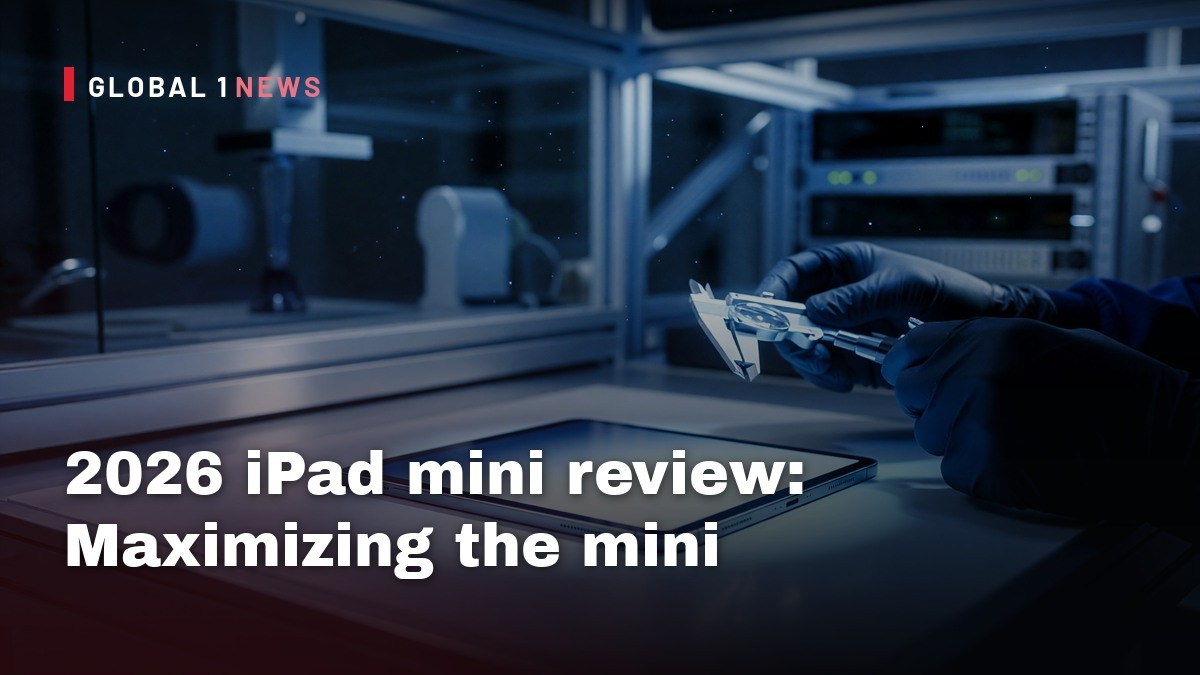
Apple’s newest iPad mini feels like a textbook case of “nice‑to‑have” turned into “nice‑to‑have‑and‑maybe‑worth‑the‑price‑if‑you‑know‑what‑you‑need.” As a founder who runs his own hosting fleet, I’m constantly weighing hardware upgrades against the real‑world cost of running services at scale. The 2026 mini’s shift to an OLED panel, a newer A20 Pro chip, and a modest bump in memory bandwidth are all headline‑grabbing, but the deeper question is whether any of this translates into tangible business value for independent providers or developers who might consider the tablet as a secondary workstation, field device, or even a thin‑client portal.
Display Upgrade: OLED Gains, but Do They Matter in Production?
The most obvious change is the move from an 8.3‑inch IPS screen to an 8.5‑inch OLED panel. Apple claims a full‑screen brightness of up to 600 nits, up from 500 nits on the 2024 model, and a peak HDR brightness of 1,200 nits. The contrast ratio jumps to 2,000,000:1, which is a massive improvement over the older IPS panel. For a tablet that has always been positioned as a media consumption device, those numbers are welcome – you’ll see richer blacks and more punchy colors when streaming video or reviewing graphics on the go.
But remember, OLED panels historically sacrifice peak brightness for deeper blacks, and while Apple says the gap has narrowed, the real‑world impact is that you still won’t match a high‑end laptop’s 1,000‑plus nit display in bright sunlight. In a field environment where you might be glancing at a dashboard behind a windshield, the mini’s OLED is a step forward but not a game‑changer. The 24 % reduction in bezels (Apple shrank the chassis from 7.69 × 5.3 × 0.25 in to 7.69 × 5.22 × 0.21 in) does give you a slightly larger usable area, which can be handy when you need to split screens for monitoring logs and a ticketing system simultaneously. Still, the refresh rate stays at 60 Hz, so you won’t get the buttery scroll feel of a Pro model – a minor annoyance if you’re scrolling through long log files on a tablet.
Processor Leap: A20 Pro vs. A17 Pro – Real‑World Impact
The jump from the A17 Pro (a 3‑nanometer chip from the iPhone 15 Pro era) to the A20 Pro (a 2‑nanometer part that debuted in the iPhone 18 Pro) is the headline‑grabbing spec bump. Apple notes a 50 % increase in memory bandwidth and up to a 60 % speed uplift. In practice, that translates to smoother photo editing, light video trims, and a more responsive multi‑app experience. The 512 GB model adds a sixth CPU core and doubles the 16‑core Neural Engine count from one to two, which means on‑device AI tasks – like the generative image tools Apple bundles under its “Apple Intelligence” banner – finish in roughly 20 seconds, comparable to an iPhone 18 Pro.
For most independent hosting ops, that performance is overkill. Our workloads run on x86 servers with dedicated GPUs; a tablet’s seven‑core GPU and six‑core CPU are fine for occasional admin tasks, but they won’t replace a proper workstation for heavy‑duty builds or container orchestration. The iPad Air (11‑inch) still ships with the older A16 chip, making the mini technically faster than the Air, but the Pro line (M5 and M4) remains the only viable option for demanding video encoding or 3D rendering. In short, the processor upgrade is a nice bump for power users, but it doesn’t shift the mini into the “primary dev machine” category.
Storage Options and Nano‑Texture Glass: Cost vs. Value
Apple offers the mini in 128 GB, 256 GB, and 512 GB capacities. The nano‑texture glass option – a matte finish that reduces glare – is only available on the 256 GB and 512 GB models and adds $100 to the price. If you’re using the tablet outdoors or in bright office lighting, the anti‑glare layer can be a genuine productivity boost, preventing you from squinting at code or dashboards. However, the extra cost must be weighed against the fact that the mini already carries a price tag just $50 less than the larger iPad Air. For a small business budgeting for field devices, the $100 premium may not be justified unless you have a specific need for glare‑free viewing.
From a risk perspective, the 512 GB model’s extra storage can be a double‑edged sword. More local storage means you can cache larger logs or keep offline copies of documentation, reducing reliance on flaky Wi‑Fi. But it also raises the stakes if the device is lost or stolen – more data on‑hand means a bigger breach surface. Pair the device with strong device‑level encryption and remote wipe capabilities, and you’ll mitigate that risk.
Audio Improvements: Speakers That Pack a Punch
The new mini adds two woofers and custom tweeters, delivering louder dialogue and stronger bass without visible speaker holes. In noisy environments – think a workshop with a heater humming or a field site with ambient traffic – the speakers are loud enough to keep you from needing external audio gear. That’s a small but real convenience: you can run a quick video call or listen to a training module without pulling out a Bluetooth speaker.
From an operational standpoint, the IP67 rating (dust‑tight and protected against temporary immersion) is the most compelling audio‑related feature. It means the device can survive accidental drops in puddles or dusty construction sites, reducing the likelihood of costly replacements. For a fleet of field technicians, that durability translates directly into lower total‑ownership cost.
Battery, Portability, and the “Mini” Identity
Apple trimmed the bezel and slightly reduced the overall thickness, dropping the weight from 0.65 lb to 0.56 lb. The device still measures 7.69 × 5.22 × 0.21 in, making it comfortably pocketable. However, the review doesn’t mention any battery life improvements, and historically the mini’s battery has been modest compared to the Air or Pro. If you plan to run AI‑heavy apps or stream HDR video all day, you’ll still need to keep a charger handy.
For independent providers, the mini’s size can be a tactical advantage. You can mount it on a small kiosk, use it as a dedicated monitoring screen, or hand it to a field rep as a lightweight data entry device. The trade‑off is that you lose the flexibility of a larger screen for multitasking, and the 60 Hz refresh may feel sluggish when scrolling through dense logs. The decision hinges on whether the convenience of a sub‑pound tablet outweighs the productivity loss from a smaller canvas.
Software Ecosystem: AI Features and Limitations
Apple’s “Apple Intelligence” suite brings generative AI tools to the mini – object removal, perspective shifts, and border extensions – all running locally in about 20 seconds. Siri AI is still in beta, so voice‑first workflows remain limited. For a hosting provider, the on‑device AI can help with quick image edits for marketing or documentation, but it doesn’t replace server‑side AI pipelines. The real value is the ability to run AI‑enhanced tasks offline, which can be handy in low‑bandwidth locations.
One caveat: the mini’s AI capabilities are tied to Apple’s ecosystem. You can’t easily run custom ML models or containerized workloads on iOS. If your business relies on bespoke AI pipelines, you’ll still need a proper server or cloud instance. The mini is a peripheral tool, not a compute node.
Bottom Line: Is the 2026 iPad Mini Worth Buying for a Business?
Summing up, the 2026 iPad mini offers a solid incremental upgrade: a brighter, higher‑contrast OLED screen, a faster A20 Pro chip, louder speakers, and an IP67 rating that adds real‑world durability. Those are genuine improvements for anyone who already loved the mini’s portability. However, the device still sits in a niche bracket – it’s a premium media tablet, not a primary productivity machine.
For independent hosting providers, the mini can serve as a secondary device for on‑the‑go monitoring, quick documentation, or field data entry, provided you accept its limits: 60 Hz refresh, modest battery life, and a closed software environment. Pair it with strong device management policies (encryption, remote wipe, MDM enrollment) to mitigate data‑loss risk, and you’ll extract the most value from its durability and display quality. If you need a device that can replace a laptop for heavy development or run custom containers, you’re better off sticking with an iPad Air, a Windows tablet, or a lightweight laptop.
Actionable advice: Deploy the mini only where its size and durability are decisive – for example, as a kiosk‑mounted status board in a data center aisle, or as a field‑service tablet in dusty, wet environments. Opt for the base storage model unless you have a concrete need for large local caches, and skip the nano‑texture glass unless glare is a proven productivity killer. In short, the mini is a respectable upgrade for its segment, but it remains a niche tool, not a universal replacement for more capable hardware.
— Allan Ali, Founder
This article was produced with AI-assisted research and editorial support. Reporting is based on the source material cited below. Sources: Ars Technica; arstechnica.com; Global1.News (06 November 2026).
By Allan Ali, Global1.News
What's Your Reaction?
 Like
0
 Dislike
0
 Love
0
 Funny
0
 Wow
0
 Sad
0
 Angry
0

Publisher of Global1.News. Automation architect, systems builder, and the guy making sure the truth gets published.













Comments (0)