
SparkyOS: Lightweight general-purpose Arch, on a pendrive
SparkyOS landed on the scene this week, and it’s a reminder that the Linux world still has room for clever, no‑fluff solutions. Built by the same crew that birthed SparkyLinux, this distro swaps the usual live‑CD/ISO model for a full Arch install that lives entirely on a USB stick.
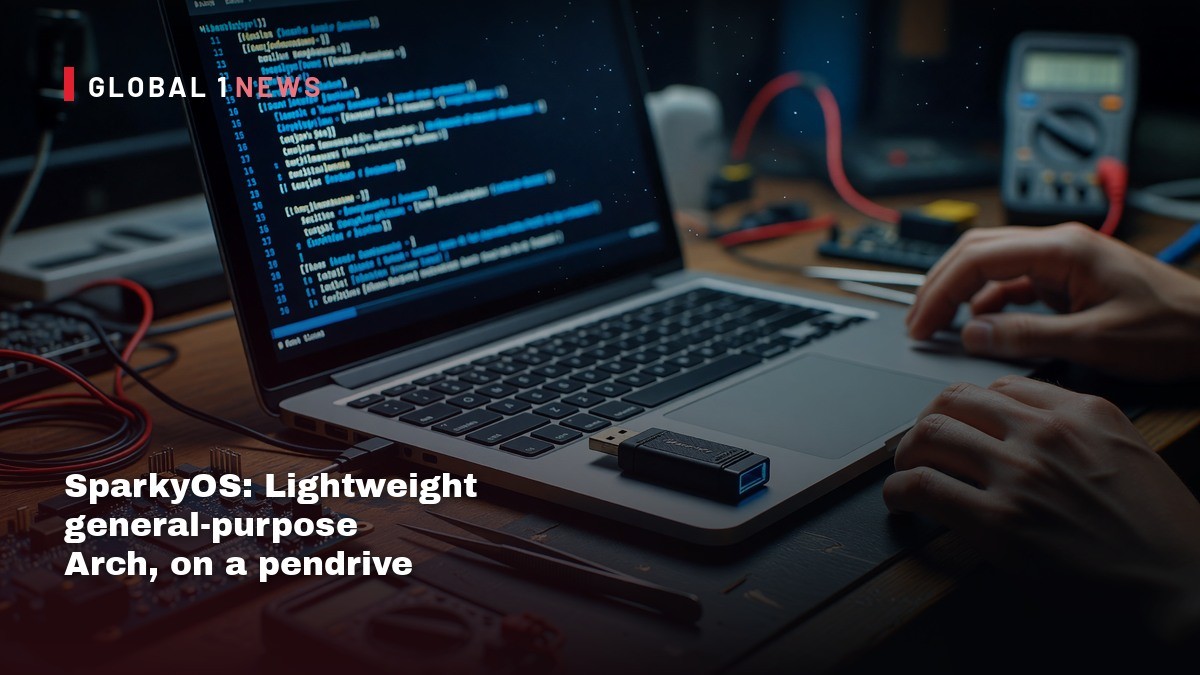
SparkyOS landed on the scene this week, and it’s a reminder that the Linux world still has room for clever, no‑fluff solutions. Built by the same crew that birthed SparkyLinux, this distro swaps the usual live‑CD/ISO model for a full Arch install that lives entirely on a USB stick. In plain terms: you boot a complete, update‑capable system from a pendrive without ever touching the host’s hard disk. For anyone who’s ever wrestled with the clunky persistence layers of typical live media, this feels like a breath of fresh air – and a potential game‑changer for small‑scale hosting shops that need portable, consistent environments.
Why the USB‑only model matters for real‑world ops
Most live Linux images still rely on the old ISO‑9660 format, a relic of the CD era that forces a compressed SquashFS layer on top of a read‑only filesystem. The Register points out that this design forces you to juggle a base image plus a separate persistence file, inflating disk usage and slowing down writes. In a production setting, that extra I/O churn translates to longer boot times and a higher chance of corruption when you try to update packages on the fly.
SparkyOS sidesteps that by delivering an actual Arch installation onto the USB key. The root volume is mounted with noatime, slashing unnecessary metadata writes, and there’s no swap or even ZRAM configured. The result is a leaner, faster boot that behaves like a regular disk install – but with the portability you need when you’re hopping between client sites or demoing services on the fly.
Hardware realities: flash wear and performance trade‑offs
The article reminds us that flash isn’t RAM. Each write forces the controller to erase whole blocks, which can be as large as several megabytes. Over time, that wear adds up, especially on cheap USB sticks that lack the multi‑chip architecture of SSDs. SparkyOS mitigates this by keeping the system light on writes, but the Register still urges users to pick a “big fast key” and keep it under 50 % capacity. More free space gives the flash controller breathing room, extending the drive’s lifespan.
From a hosting perspective, that advice is gold. If you’re running a portable lab or a field deployment, you’ll want a USB‑3 stick (the team used a 64 GB key with both USB‑A and USB‑C connectors) and you’ll need to monitor usage. Over‑filling the drive will accelerate wear, potentially leading to the sudden, total failures that flash devices are notorious for – unlike spinning disks that often limp along with bad sectors.
Boot compatibility: UEFI‑only limits and workarounds
SparkyOS ships only UEFI boot files. The Register notes that legacy BIOS machines are out of luck, and that the image won’t boot on pure BIOS systems without a conversion step. They tested it on a 15‑year‑old ThinkPad W520 and a modern Dell XPS13, both UEFI, and even on an OpenBSD‑running X220 where it could see the ten partitions but not mount them. The takeaway for providers is clear: if your client base still runs legacy BIOS hardware, SparkyOS isn’t a universal solution – you’d need to re‑image or use a different tool.
For those who need VM compatibility, the team mentions that the image requires format conversion to run inside a virtual machine. That extra step adds friction, but it’s a manageable hurdle if you’re using the distro for development or testing rather than production workloads.
Write reduction tricks: lessons from a decade‑old startup
The author draws on personal experience from a previous venture that sold live‑Linux USB keys. Back then, they disabled journalling, used noatime, added ZRAM, and even ran /tmp on a RAMdisk to curb writes. Despite those measures, heavy users still saw drives wear out. The Register’s analysis of SparkyOS shows a similar philosophy – no swap, no atime – but without the extra complexity of ZRAM or RAMdisks. That simplicity is a win for small operators who don’t want to tinker with kernel modules just to keep a USB stick alive.
In practice, the biggest win is the ability to update the system in place. Because SparkyOS is a full install, you can run pacman -Syu and install new packages without the “persistence layer” bottleneck that plagues most live media. That means you can keep security patches current, a non‑negotiable requirement for any service you expose to the internet.
Size, download, and deployment considerations
The image is 10 GB uncompressed, but compressed down to 3.2 GB for download. That’s a reasonable bandwidth hit for most data‑center connections, and the compressed size fits comfortably within typical monthly caps for remote sites. However, the Register warns that because the image is a raw disk copy, it won’t work with multiboot tools like Ventoy. You’ll need to write the image directly to the USB stick with a tool like dd or Etcher. For a hosting provider, that extra step is a minor inconvenience compared with the benefit of having a portable, fully‑featured Arch environment ready to go.
Once written, you can expand the filesystem to fill the USB medium – the team already provides documentation for that. This flexibility lets you scale the storage to the size of the key you purchase, whether it’s a 32 GB stick for a light demo or a 128 GB drive for a more heavyweight toolbox.
Strategic takeaways for independent hosting players
What does SparkyOS mean for the independent hosting landscape? First, it offers a cheap, portable sandbox for testing configurations, container runtimes, or edge services without committing a full VM or dedicated hardware. Second, its write‑light design aligns with the reality that flash wear is a hidden cost many overlook until a drive dies outright. By keeping the system lean and encouraging under‑50 % usage, you can stretch the life of a $10‑$15 USB stick across many deployments.
Finally, the broader lesson is to question the “best practice” of using ISO‑based live media for anything beyond a quick rescue. The Register’s deep dive shows that the old model is inefficient and fragile. As a founder juggling real‑world traffic, you need tools that let you patch, update, and roll back without the overhead of layered persistence. SparkyOS delivers that, albeit with the UEFI‑only caveat.
Actionable advice for founders and sysadmins
If you’re considering SparkyOS for your workflow, start with a high‑quality USB‑3 stick, preferably one with a USB‑C connector for newer laptops. Write the image directly, keep the drive under half full, and treat it as a portable development environment rather than a primary production host. Schedule regular backups of any data you store on the stick – flash failures are total, not graceful, as the Register notes.
Keep an eye on the project’s roadmap: BIOS support and RAM‑based write buffering are on the “to‑do” list. When those land, the distro will become even more versatile. Until then, use it for what it does best – a fast, update‑capable Arch system you can carry in your pocket, ready to spin up on any UEFI box you encounter.
— Allan Ali, Founder
This article was produced with AI-assisted research and editorial support. Reporting is based on the source material cited below. Sources: The Register; theregister.com; Global1.News (24 October 2026).
By Allan Ali, Global1.News
What's Your Reaction?
 Like
0
Like
0
 Dislike
0
Dislike
0
 Love
0
Love
0
 Funny
0
Funny
0
 Wow
0
Wow
0
 Sad
0
Sad
0
 Angry
0
Angry
0

Publisher of Global1.News. Automation architect, systems builder, and the guy making sure the truth gets published.













Comments (0)