
Explaining Hall-effect, TMR, and other new types of "mechanical" switches
Contactless keyboards have been popping up on storefronts and livestreams for the past six years, promising faster, smoother keypresses while often carrying a heftier price tag than the classic mechanical boards that already sit above cheap membrane options.
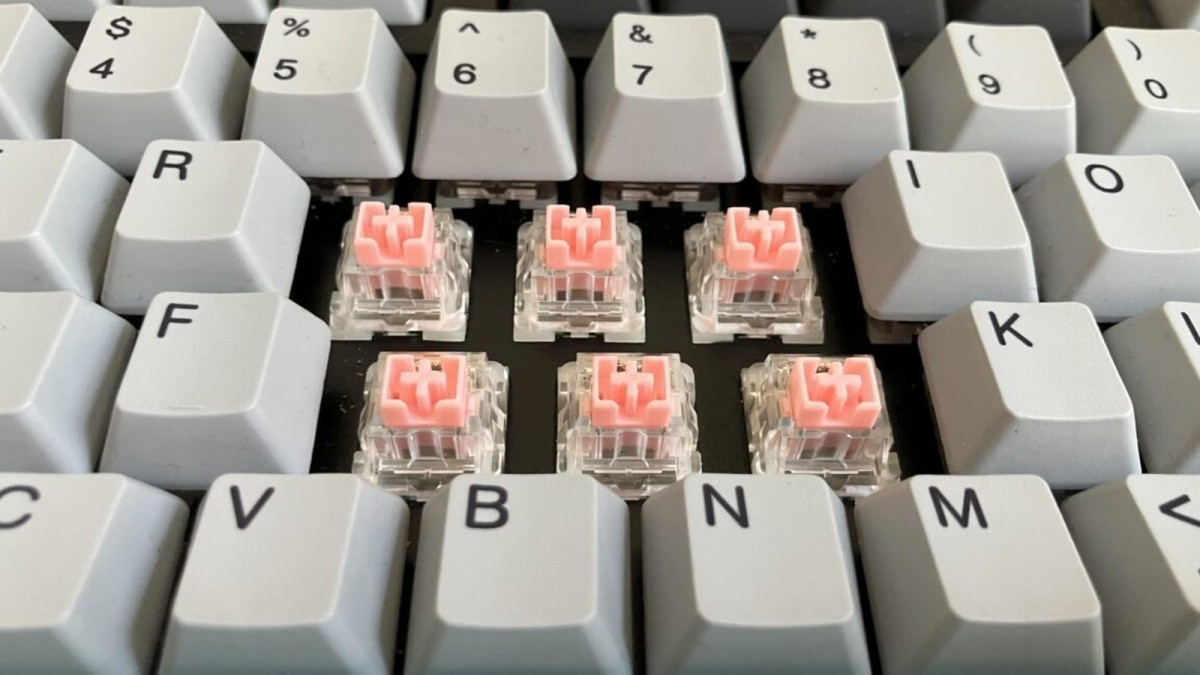
Contactless keyboards have been popping up on storefronts and livestreams for the past six years, promising faster, smoother keypresses while often carrying a heftier price tag than the classic mechanical boards that already sit above cheap membrane options. The hype leans heavily on the idea that eliminating metal‑to‑metal contact solves the wear and debounce problems that have haunted keyboards since the first Cherry MX. But what does the technology actually deliver, who benefits, and where does the extra cost really matter? Below we break down the optics, magnets and firmware tricks that power today’s “mechanical” keyboards and weigh them against the tried‑and‑true switches that still dominate most desks.
The anatomy of a classic mechanical switch
Traditional mechanical keys, like the Cherry MX Brown illustrated in the source guide, rely on two metal leaves that meet when a plastic stem pushes them together. Press the stem, compress a spring, and a protruding plastic nub lifts the leaves apart at rest. When the stem drops, that nub slides away, the leaves touch, and an electrical circuit closes on the PCB. The spring then snaps the stem back up when you release.
This simple contact‑based design has been the backbone of mechanical keyboards for decades, but it also introduces two built‑in Achilles’ heels: physical wear on the metal leaves and the dreaded “bounce” that forces firmware to debounce each keystroke. Over time, oxidation or corrosion can degrade that metal‑to‑metal contact, and the bounce can add a few milliseconds of latency that most users never notice but that hardcore gamers claim can affect split‑second reactions.
How contactless switches dodge the bounce
Contactless designs—optical, Hall‑effect (magnetic) and other “light‑beam” variants—replace the metal leaves with a sensor that detects stem movement without any physical contact. Because there’s no metal‑to‑metal impact, manufacturers argue these switches avoid oxidation and can last longer. The guide notes that contactless switches “aren’t susceptible to oxidation or corrosion,” a claim that directly addresses the wear issue of traditional leaves.
Beyond durability, the lack of bounce means the switch can theoretically register a press instantly, without the firmware‑level debounce delay that typical mechanical boards need. While the article points out that most users never notice debounce delays, it also cites Cherry’s MX2A line as requiring “less than 1 ms” for debouncing, highlighting how manufacturers use the metric to market faster response times.
Longevity: contactless vs. modern mechanical
Contactless switches need specialized PCBs, which are less common than the generic boards that accommodate Cherry MX and similar stems. That scarcity can make hot‑swappable contactless keyboards harder to find, even though hot‑swappability is a key way users extend a keyboard’s life by swapping out worn switches.
However, the guide reminds us that newer mechanical switches—such as Cherry’s MX2A series rated for 100 million keystrokes—can match the lifespan of contactless options. So the durability edge isn’t a clear‑cut win for contactless; it depends on the specific switch rating and whether you value the ease of swapping hot‑swappable PCBs.
Feel factor: smoothness and customization
Proponents of contactless switches often tout a smoother press because there’s no metal leaf clacking against another. The article concedes that the spring and stem still generate friction, and that well‑lubricated premium mechanical switches can feel “extremely smooth” as well. In practice, the tactile experience hinges more on the spring force curve and stem design than on the presence or absence of a light beam.
Where contactless truly shines is in programmability. Because the actuation point is detected electronically, many models let users adjust how far a key must travel before it registers. The guide notes that this “customizable actuation” is impossible with fixed‑travel mechanical stems, offering gamers the ability to fine‑tune key stiffness per key—think a stiffer spacebar versus a feather‑light WASD cluster.
The analog advantage for gamers
Beyond binary on/off detection, some contactless keyboards support true analog input, measuring the exact depth of a press. This lets a single key act like a joystick, sending different signals at 0.5 mm, 1 mm, etc. The article gives the example of programming a key to emit “A” at a shallow press and “B” at a deeper press, a capability traditional mechanical boards lack.
For competitive gamers, that analog nuance can translate into faster in‑game actions, especially in titles that benefit from pressure‑sensitive controls. The technology also enables “double‑tap” programming where a full press registers two inputs—a feature marketed as a shortcut for complex combos.
Latency: the whole picture, not just the switch
While contactless switches eliminate debounce delay, overall keyboard latency still depends on travel distance, actuation time, and polling rate. The source points out that a Bluetooth keyboard with full‑height optical switches and a 133 Hz wireless poll can still lag behind a wired board with an 8,000 Hz poll, despite having a “faster” switch. In other words, the sensor is only one piece of the latency puzzle.
Manufacturers rarely disclose exact debounce timings, but enthusiasts often cite 5 ms to 20 ms as typical. Even the “less than 1 ms” figure for Cherry’s MX2A suggests that the real‑world impact of debounce is marginal for most users, making the contactless speed claim more of a marketing edge than a decisive performance gain.
Who really wins the contactless premium?
For everyday typists, the subtle differences in feel and latency may never justify the higher price. The guide emphasizes that “in daily use, the differences can be pretty subtle,” implying that the primary market for contactless keyboards remains gamers and enthusiasts who value programmability and the novelty of a “future‑proof” sensor.
Companies that bundle contactless tech with hot‑swappable PCBs and robust software ecosystems can command a premium, but they also shoulder the risk of limited component availability. Meanwhile, traditional switch makers like Cherry continue to push high‑stroke‑rated mechanical lines that rival contactless durability while keeping the ecosystem of compatible keycaps, mods and aftermarket lubricants thriving.
In the end, the decision comes down to priorities: if you crave analog pressure, per‑key actuation tweaks, and the bragging rights of a “contactless” board, the extra cost may feel justified. If you’re happy with a well‑lubed Cherry MX, a reliable hot‑swap platform and a proven supply chain, the classic mechanical route still makes solid sense.
This article was produced with AI-assisted research and editorial support. Reporting is based on the source material cited below. Sources: Ars Technica; arstechnica.com; Global1.News (05 October 2026).
By Nova Chen, Staff Writer
What's Your Reaction?
 Like
0
Like
0
 Dislike
0
Dislike
0
 Love
0
Love
0
 Funny
0
Funny
0
 Wow
0
Wow
0
 Sad
0
Sad
0
 Angry
0
Angry
0

Trend Reporter at Global1.News. Based in San Francisco, tracking the stories crossing from social platforms, forums, and community discussions into mainstream news — tech breakthroughs, cultural shifts, and world events that real people are engaging with right now.















Comments (0)